Digital Guest Book
A digital guest book anyone can sign from their phone. Guests open a link or scan a QR code and leave messages, photos, voice notes, and doodles. Works for weddings, events, and more. No app and no sign-up needed to sign.
Create Free WallSee what a Digital Guest Book looks like
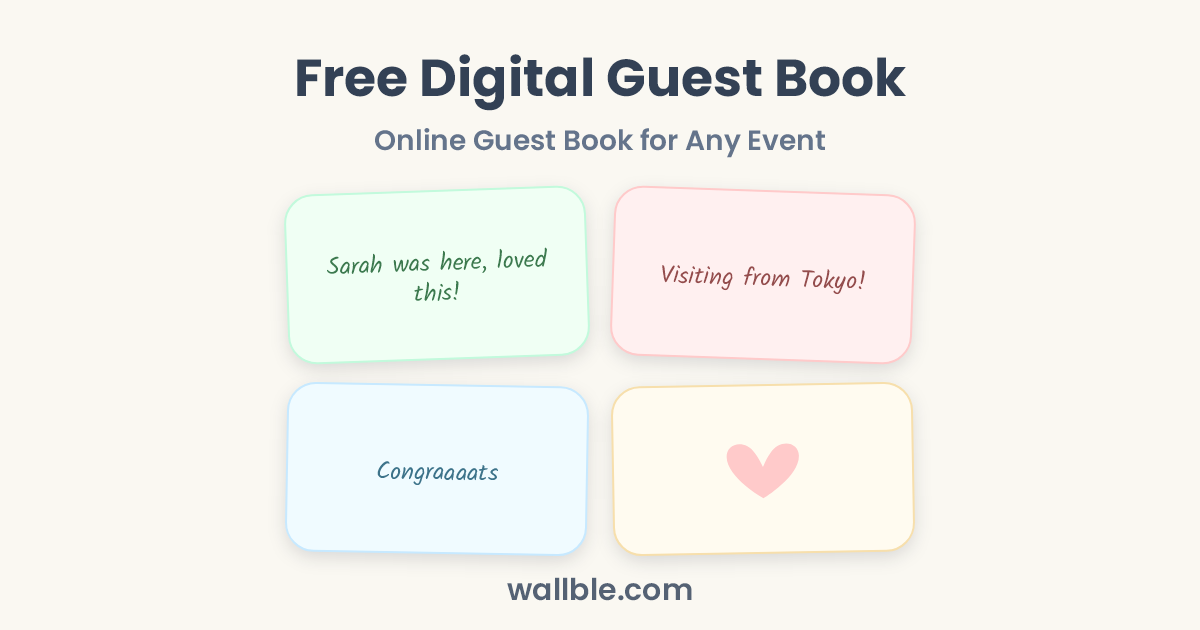
Sarah was here, loved this!💚
Visiting from Tokyo!
Congraaaats 🎉
Watch how it works
A two minute walkthrough of setting up a digital guest book with Wallble, so guests can leave messages, photos, voice notes, and doodles on one shared wall.
What to write in a guest book
At a wedding
- I wish your life together be full of the same joy you shared with us today.
- Wishing you a lifetime of love, laughter, and happiness. Congratulations!
- Two families became one today. So happy to witness it.
- You both are adorable. Congrats love.
- Sweetie! look at you. Little princess has grown up so much.
- Marriage tip: the correct answer is always "yes, dear".
- Marriage tip: let her pick the sofa.
At a corporate event
- The panel on day two changed how I think about our roadmap. Bring them back next year.
- Best organized event I have attended in years. The details showed.
- Came for the talks, stayed for the conversations in the hallway.
- Great meeting the team from the Riyadh office. Coffee is on us next quarter.
- I saw a lot of faces I only knew on Zoom. Do this again please!
One guest book, every occasion
Your guest book works for any event. Weddings, corporate conferences, baby showers, housewarmings, and more. The same link works for everyone: no app, no sign-up.
One QR code at the entrance replaces forms nobody fills. Attendees post impressions, photos, and voice notes while the event is live.
You can also print a free QR code that opens your guest book. Guests scan and start writing.
Voice notes in your guest book
Guests scan the QR code on their table, tap record, and speak. No physical phone, no app, no account. The recordings land on your wall next to written messages and photos, ready to replay for years.
A written kind message is lovely. Hearing your grandmother laugh in the middle of her message is something else entirely.
Guest book names around the world
- Arabic: سجل الزوار
- German: Gästebuch
- Dutch: Gastenboek
- Spanish: Libro de Firmas
- Italian: Libro degli Ospiti
- French: Livre d'Or
- Portuguese: Livro de Visitas
- Turkish: Anı Defteri
- Chinese: 留言墙 (Liuyan Qiang)
Use your digital guest book at a wedding
Put one QR code on invitations, welcome signs, or table cards. Guests scan it and add messages, photos, doodles, and voice notes while the event is happening. Anyone with the link can contribute without creating an account.
Why Use Wallble
-
Everyone Can Join Instantly
No sign-up and no app download required. Anyone with the link can post directly.
-
Express In Their Own Way
People can leave a heartfelt message, draw a funny doodle, capture a photo, or drop a voice note.
-
Memories That Don't Fade
Keeps memories forever, always there to revisit.
How Do I Create a Wall?
-
1
Create the Wall
Name your wall in seconds.
-
2
Share the Link or QR Code
Share the link via WhatsApp, Slack, or email, or download the QR code to display or print.
-
3
Collect Memories
Watch the wall fill up with messages without anyone needing to sign up.
Wallble vs Group Chat vs Physical Card
How Wallble compares to the alternatives people typically use for farewells and celebrations.
| Wallble | Group Chat | Physical Card | |
|---|---|---|---|
| Everyone can join remotely | Yes | Yes | No |
| No signup required | Yes | No | Yes |
| Stays organized in one place | Yes | No | Yes |
| Permanent keepsake | Yes | No | Can get lost |
| Downloadable as PDF | Yes | No | No |
Frequently asked questions
How do I create a wall?
Go to Wallble.com, name your wall, then share the link or download its QR code. Everyone can add messages, photos, doodles, and voice notes without signing up.
Do people need an account to post?
No. Anyone with the link can write a message, doodle, leave a photo, or record a voice note instantly without creating an account.
Can the wall be printed or saved?
Yes. Premium walls let you download all messages as a PDF to print, frame, or archive.
Is it free?
You can create a wall and collect messages for free. Premium adds more memories per wall, PDF download, and extra customization.
What can people post?
Messages, photos, hand-drawn doodles, and voice notes. Everything appears together on one shared wall.
Simple pricing
Premium ✨
$6.99
- Unlimited wall posts
- Custom link
- Remove Wallble branding
- Download as PDF
Wall ideas
Group Thank You Card
One Card Everyone Signs
Restaurant Feedback Wall
Collect Diner Reviews
Wall of Love
Customer Testimonials on One Live Wall
Graduation Wall
Group Graduation Card Everyone Signs
Browse all wall ideas
Life Events
Education
Events & Business
- Group Thank You Card
- Digital Guest Book
- Restaurant Feedback Wall
- Wall of Love