Farewell Card and Team Celebration Wall for Microsoft Teams
Add your wall as a tab in a channel or chat. Your team posts a message, doodle, photo or voice note without leaving Teams.
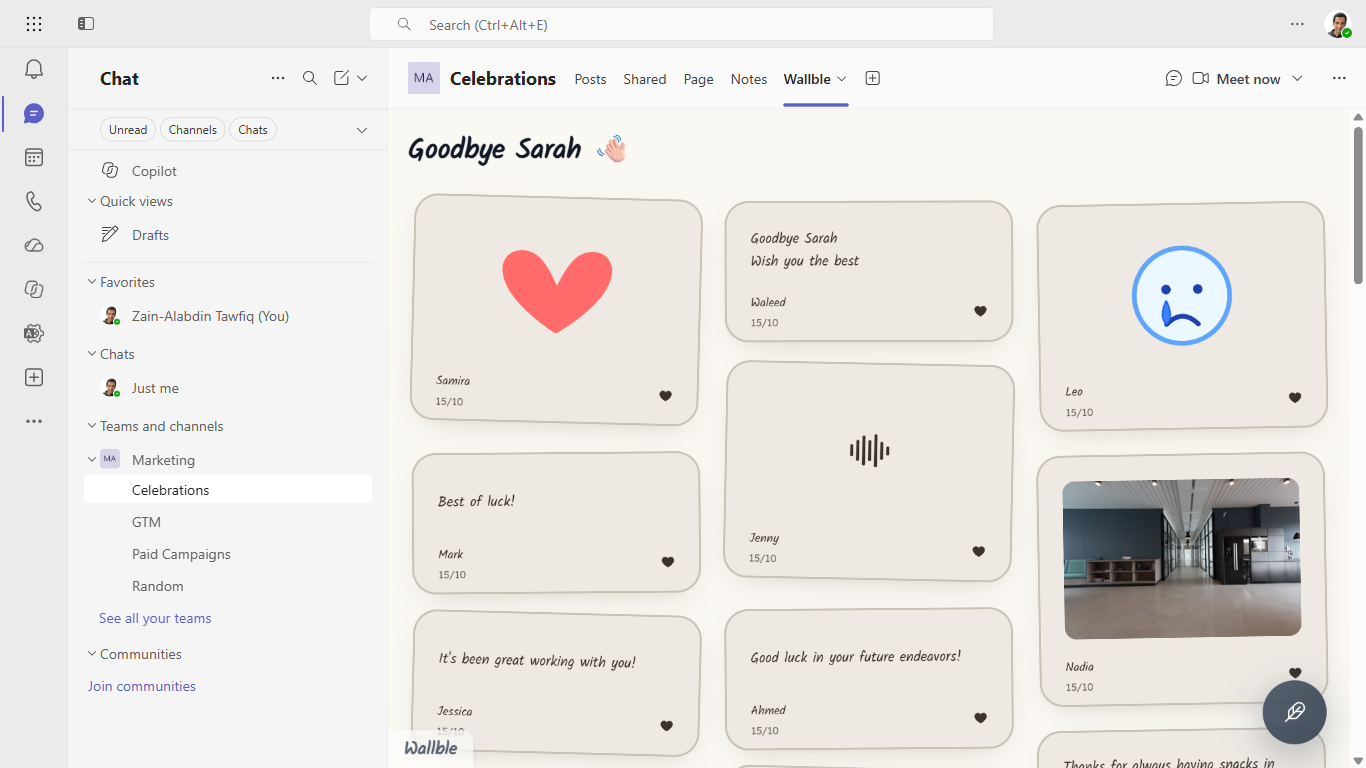
How it works
- 01 Get Wallble from Microsoft Marketplace.
- 02 In a channel or chat, click + and add the Wallble tab.
- 03 Paste your wall link and save. Everyone can post from the tab.
Questions
- Do teammates need a Wallble account to post?
- No. Anyone in the channel or chat can read and post from the tab. Only the wall's creator needs an account.
- Where can I add the tab?
- In any Teams channel or group chat.
- Can people record voice notes in Teams?
- Yes. Teams asks for microphone permission the first time someone records.
- Is it free?
- The app is free. Each account gets one free wall with up to 10 posts. Premium is $9 one-time per wall.
Need help? Contact support.